Heavy transfers that just work.
Move project files at full speed. Start transfers with peace of mind, deliver to clients without friction, and use delivery proof to settle disputes.
Speed
Your entire bandwidth, fully utilized.
Because your files stream directly from your workstation to the recipient, your local gigabit or 10G connection runs at maximum capacity to deliver multi-terabyte assets as fast as possible.
Reliability
Resilient against network drops.
If your connection blips or drops in the middle of a massive overnight transfer, the stream pauses and picks right back up without forcing you to restart the entire progress bar from zero.
Proof
Concrete proof of delivery.
Every completed transfer generates a signed receipt, giving you an unalterable log that permanently ends arguments over whether a client received the file.
How to start
Three steps.
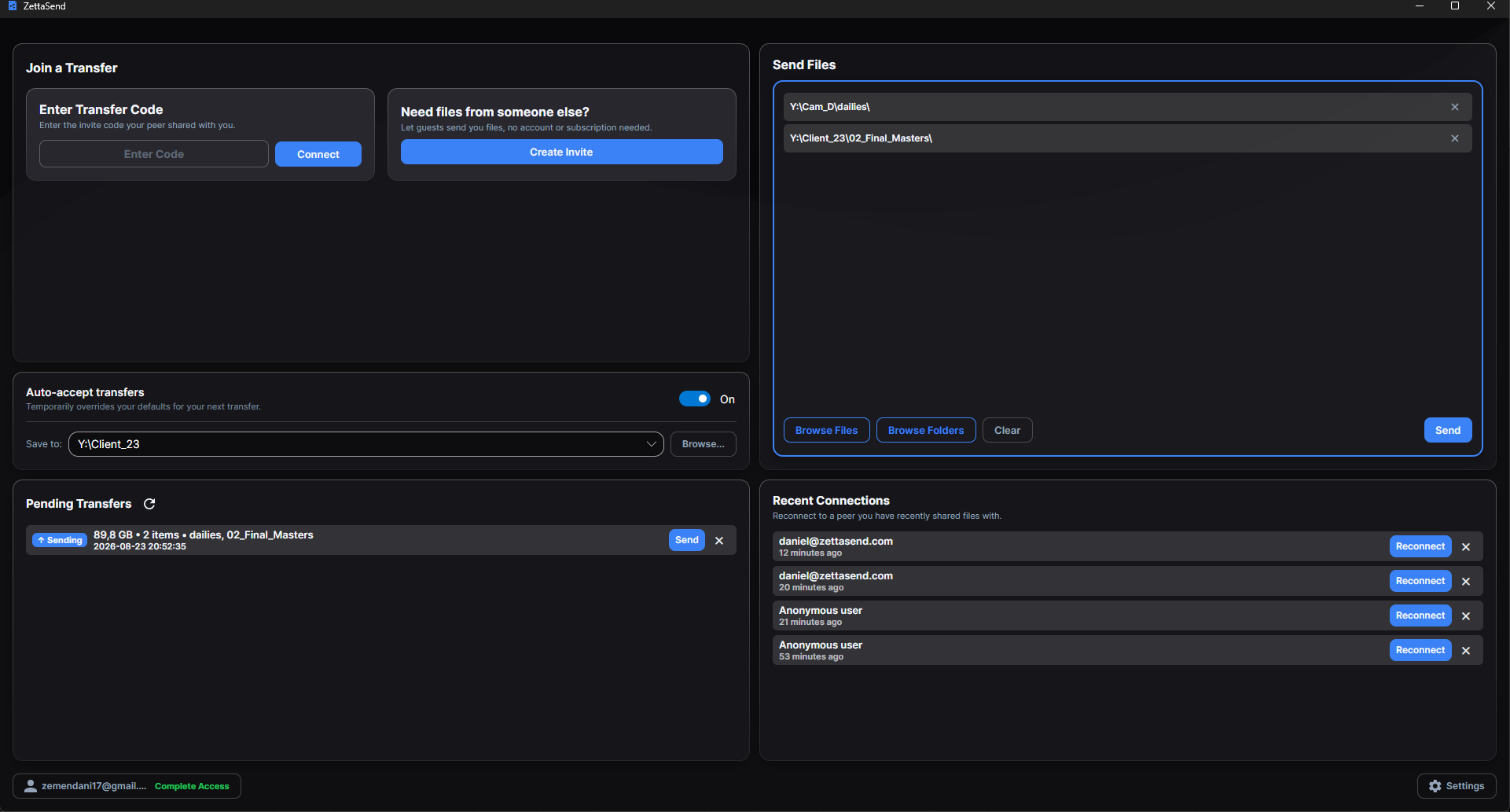
Step 1: Drop the folder
Keep your entire structure intact.
Drag multi-terabyte raw camera cards, 4K/8K timelines, and heavy EXR sequences straight into the app. With zero file-size restrictions or compression requirements, your complex project directories, root folders, and editorial bins arrive on the other end looking identical to how they left your workstation.
Step 2: Send the link
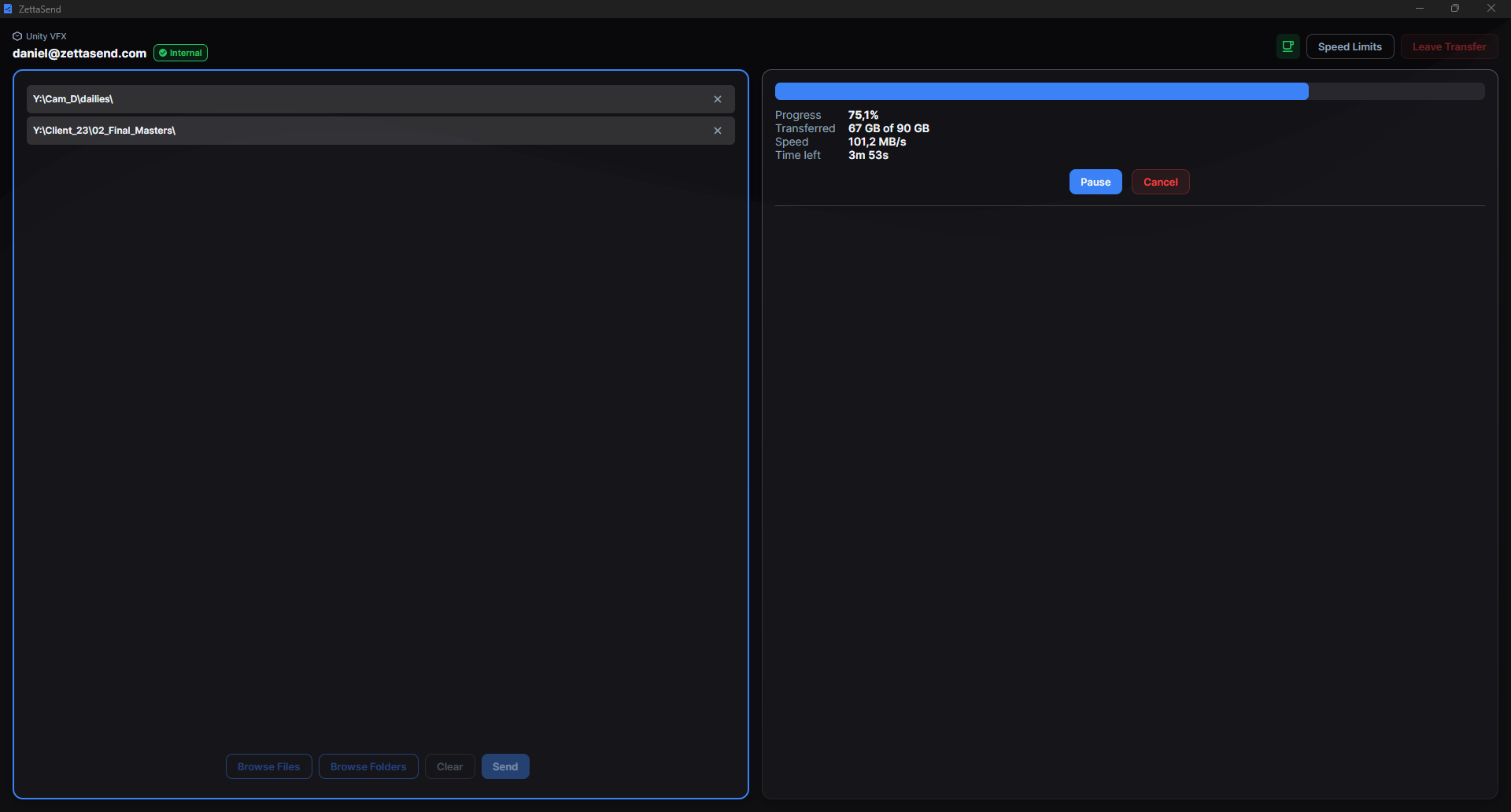
Max bandwidth and complete peace of mind.
Share the access code and let the recipient stream directly from your machine at the absolute peak speed of your local gigabit or 10G connection. With automated pause-and-resume handling your overnight transfers, you can hit send, trust the process, and finally get out of the bay on time.
Step 3: Signed and done
Complete security and absolute accountability.
All your unreleased cuts and master assets stream privately through end-to-end encryption. Nobody except you and the recipient can ever see the contents of your files. When the transfer finishes, both systems generate a signed delivery log, eliminating the back-and-forth friction of missing files or client disputes.

Clean, frictionless client handoffs.
Moving media to or from directors, producers, and external partners shouldn't require user accounts, IT support tickets, or manual setups. ZettaSend handles the onboarding automatically.
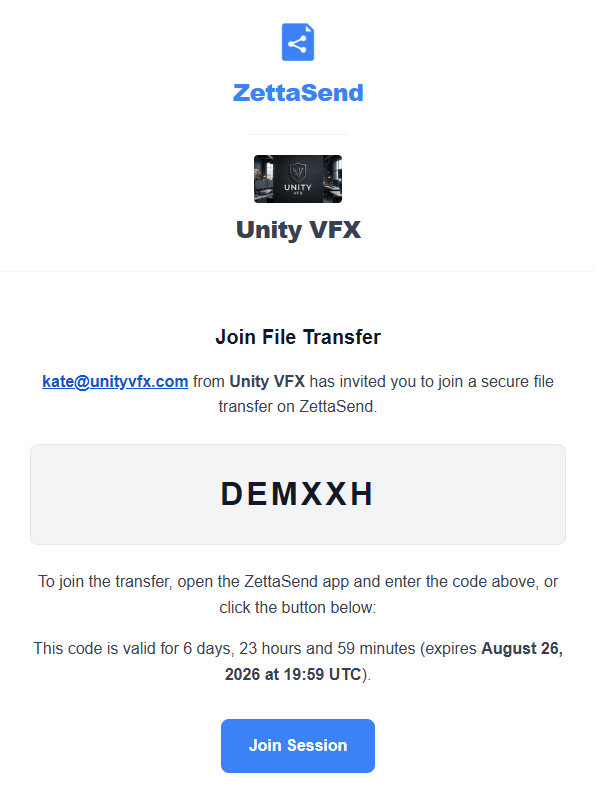
How it feels for an external client:
- They open your branded email invite on their machine.
- They click Join Session.
- ZettaSend opens (or installs in seconds), connects directly to your transfer code, and starts the stream immediately.
01
Automated Onboarding via Email
Trigger client invites without leaving your edit bay or opening a browser. Once your files and folders are staged in the desktop app, you simply type your recipient's email address to send a secure, automated invite link directly from the application interface.
02
Zero IT Overhead or Admin Rights
External clients can send or receive heavy deliverables on locked-down studio laptops without hassle. ZettaSend runs smoothly without requiring administrator credentials, port forwarding, or corporate VPN access.
03
Fully Covered Guest Access
Your external clients never need to create an account, manage passwords, or enter credit card details. Your Team subscription completely covers the entire transfer, allowing guest stakeholders to upload or download unlimited media instantly.
04
Custom Studio Touchpoints
Maintain an executive, high-end presentation across every client interaction. Custom invite emails and transfer windows display your studio’s logo and company name directly alongside ZettaSend’s clean interface.
Automation
Bring your own automations.
ZettaSend isn't just a pipe between two machines. It's a hook into your pipeline. On the Team plan for your workspace, you set any HTTP(S) endpoint, and the app calls it on every transfer: once before a single byte is written, where your code decides whether the delivery may happen, and once after it completes, where your downstream work kicks off.
Pre-transfer: the gate
Approve or reject before it touches disk.
Run your sanity checks: naming conventions, file types, sender identity, disk space. Return accept and the transfer proceeds. Return reject and it never starts. No approval, no transfer.
Post-transfer: the trigger
Fire your pipeline the moment delivery completes.
Every finished delivery calls your endpoint again, so you can automatically notify the team, register the files in your asset database, kick off QC or transcoding, and log the delivery to your own systems with no manual steps.
Your message, rendered on the sender's screen.
Whenever your endpoint responds, the markdown you return is rendered inside the sender's app on their machine, not just yours. Reject a delivery before it starts and the sender sees exactly which files failed your naming convention or format check, what to fix, and how to resend. Flag a problem after delivery - say a subtitle file that arrived as binary instead of ASCII - and the sender gets your markdown warning the moment the transfer completes. No phone calls, no emails back and forth, no silent failures.
Enforce naming conventions
Reject shots that don't match your studio's sc###_###_v### pattern before a single byte is written.
Block unwanted file types
Executables, scripts, or unexpected formats never enter your network - your endpoint acts as the final filter.
Validate senders & projects
Cross-check the sender and project against your production database, and only accept deliveries that match.
Kick off QC & transcoding
The post-transfer hook starts your QC, transcode, or conform pipeline automatically the moment files are verified on disk.
Built for Studio Workstations
Direct Storage Streaming
Files stream directly into your chosen destination drive, whether that is a local NVMe scratch disk or a shared network storage array. Because nothing is cached on your system boot drive first, you never have to worry about temporary files taking up local disk space.
Sleep Prevention
ZettaSend keeps your computer awake while a transfer is actively running. You can start a multi-terabyte delivery at the end of the day and let it run overnight without system sleep settings interrupting the progress.
File Inspection Before Accepting
You can view the full list of files, folder hierarchy, and exact batch size before accepting an incoming transfer. This makes it easy to verify shot versions and check your available disk space before starting a download.
Encrypted Relay Fallback
If a strict corporate firewall blocks a direct peer-to-peer connection, the transfer automatically routes through a high-speed relay. Because your files are encrypted on your machine before they are sent, the relay server simply forwards the data packets without ever being able to read your files.
Bandwidth Control
You can set custom upload and download speed limits while working during the day so you do not slow down your studio’s network. When you leave the edit bay, you can remove the limit and let the transfer run at full connection speed.
Cross-Platform Support
The app runs natively on Windows, macOS, and Linux. Your Mac colorist, Windows editor, and Linux VFX artist can all connect and transfer files using the exact same software.
Flat-rate pricing. Clients pay nothing.
Your external partners can download finished deliverables without paying a cent.
Free
€0 / forever
Receive unlimited files, send to Team members, and join invited Hubs. External clients and collaborators do not need paid seats.
Download AppTeam
€230 / month for 10 seats
Unlimited sending, shared Hubs, workspace webhooks, custom branding, and signed audit logs. Work directly with the developer on your pipeline.
€2,300/year with annual billing. Additional seats: €10/month or €100/year. 30-day trial, no credit card required.
Start 30 Days FreeCustom
Let's talk
Planning a larger studio rollout? Discuss onboarding, procurement, and pipeline requirements with us.
Discuss your requirements